
MCP is the everyone-else interface - post
CLIs aren't for non-technical people

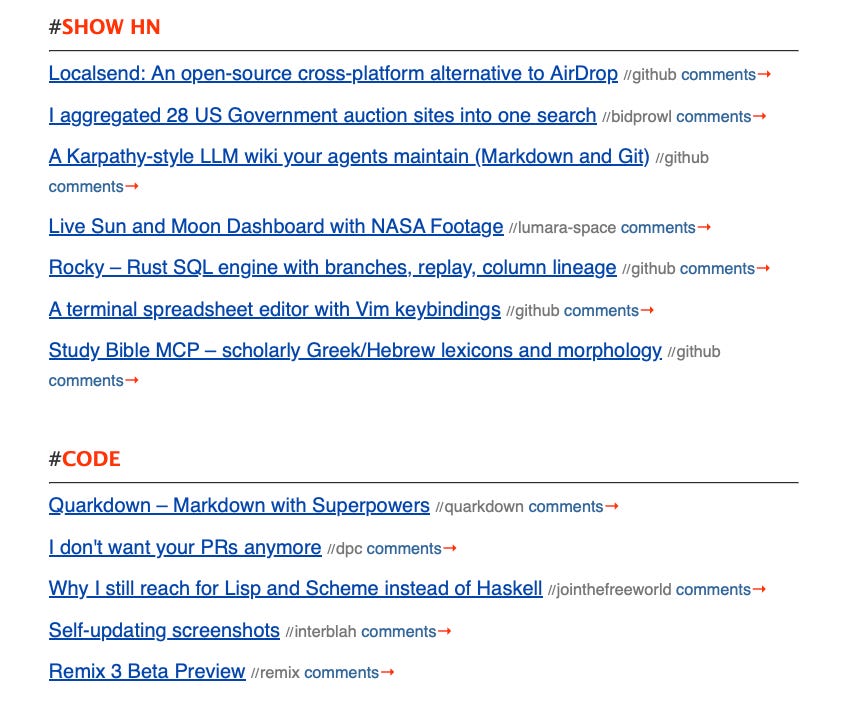
Last week my Study Bible MCP server hit the front page of Hacker News. It’s a side project; a small server that lets Claude pull from study notes, lexicons, cross-references, Theographic genealogies, and Ancient Near East cultural context. The kinds of things a serious Bible reader would otherwise dig through five tabs to find. You paste a URL into Claude Desktop, and now it can answer “who is Melchizedek and why does Hebrews keep bringing him up” with actual scholarship instead of vibes.
Someone elsewhere asked me why build an MCP? Just write a CLI. The implication, not always subtle, was that MCP is a bloated reinvention of tools that already exist.
I want to push back, because the objection misses something pretty fundamental about who software is for. And I’m not speculating, I’ve spent the last half a year building Quarri, a data platform for non-technical users to use with an agent, and the lesson keeps repeating itself.
The CLI argument, charitably
The strongest version goes like this. A command-line tool is composable, scriptable, fast, and doesn’t require a 200MB model to invoke it. If you want lexicon data, write a function that fetches lexicon data. Pipe it into the next thing. Unix figured this out fifty years ago. MCP is RPC with extra steps and a marketing budget.
All of this is true. None of it survives contact with a non-engineer.
Who actually uses this stuff
The person who wants to study Hebrews 7 is, overwhelmingly, not an engineer. They’re a pastor prepping a sermon. A seminary student. A retiree who’s read the Bible forty times and finally wants to know what ἀπάτωρ is doing in verse 3. They have a laptop, they have Claude or ChatGPT open, and they have exactly zero interest in Homebrew. In fact if asked to use a terminal for something they would just not do it.
For this person, the steps to use a CLI are: install a terminal emulator (a what?), install Python or Node (which one?), pip install something (what’s pip?), get an API key (from where?), set an environment variable (a what?), read the README, run the thing, parse JSON or find a wrapper.
The steps to use a remote MCP server are: paste a URL into a settings page.
That’s it. I don’t even have auth, I don’t want to know who the user is unless they want to tell me, the data is public scholarship, the server is read-only, there’s nothing to protect. The user installs nothing. They never see JSON. They ask a question in plain English and get an answer informed by sources they couldn’t have reached otherwise.
What Quarri taught me
Quarri is the other half of why I’m so sure about this. It’s a data platform aimed at people who need answers from their data but don’t write SQL or Python ops people, founders, finance, the person at a small business who knows the numbers should be in there somewhere. They’re on Macs, Windows machines, the occasional Chromebook. Some of them are very good at Excel. None of them are going to install a CLI.
Some of you might say that they could use Claude Code or Codex to install things for them. This might be true except for the fact they have corporate laptops and their IT team has blocked them from installing anything or using the terminal at all.
Switching to a hosted model with MCP changes the shape of the problem entirely. The user pastes a URL. The agent platform handles the OS differences, the dependencies, the auth where it’s needed. The thing the engineer used to do on their machine: set up an environment, configure credentials, parse the output… happens server-side, once, by people whose job it is (me). The user gets a conversational interface to their own data without ever meeting a terminal. Agent built connectors, transformations with semantics and safe joins underpin everything.
The CLI version of Quarri is technically useful. It would also have roughly zero of our actual users. I use it for my own purposes and testing.
The engineer’s blind spot
Engineers who reach for “just write a CLI” aren’t wrong about CLIs. They’re wrong about the population. When you spend your day in a terminal, the terminal disappears, you get tunnel-vision. You forget that for most of the world it looks like something from The Matrix.
I’ve watched smart, accomplished people in their own fields, get very stuck on simple IT env stuff. Not because they’re stupid but because the failure modes of a CLI are alien to them. A typo in a URL fails visibly: the page doesn’t load and it tells you the URL is invalid. A typo in a shell command fails with zsh: command not found: instlal, and now you’re debugging your own fingers in a language you don’t speak. The error message assumes you already know what a shell is, what a command is, what a path is. If you don’t, the error is just noise that makes you feel dumb.
MCP eliminates this. A remote MCP endpoint is a URL. URLs are something everyone has been pasting into things for thirty years. The mental model is I’m giving the assistant a website it can read from, which is wrong technically but right enough to be useful, concrete enough to not require a tutorial. People have been used to fixing URLs for some time and checking if they messed up the copy.
Auth matters more than people realise
Here’s the part the CLI crowd really misses: a well-designed remote MCP server often doesn’t need authentication at all.
Study Bible’s data is public scholarship. The server is read-only. There’s nothing to protect, nothing to rate-limit per user beyond basic abuse prevention, nothing that requires a key. So there isn’t one. The onboarding is literally paste this URL. No account, no signup, no key rotation, no .env file. For a non-technical user that’s the difference between I tried it on my lunch break and I’ll get to it when I have an afternoon.
For Quarri, where the data is private and auth obviously matters, MCP still wins: OAuth happens in a browser tab, the same flow people use to log into everything else. They click a button, they approve, they’re done. Nobody is editing a config file.
What “just write a CLI” actually means
The CLI is great. Keep the CLI. I have one too; it’s how I test things. But the CLI is the developer’s interface. MCP, with a URL and ideally no auth, is the everyone-else interface. Treating those as competing options is the category error. They’re complementary, and the second is the one that lets your software escape the terminal and meet the people it was actually built for.
Many of the issues around MCPs causing context bloat have solved in the harnesses of Claude and ChatGPT now too, where they lazy-load MCP tool definitions when the agent wants to use them based on a short description. This takes up very few tokens even with an MCP like Quarri which has over 100 tools.